
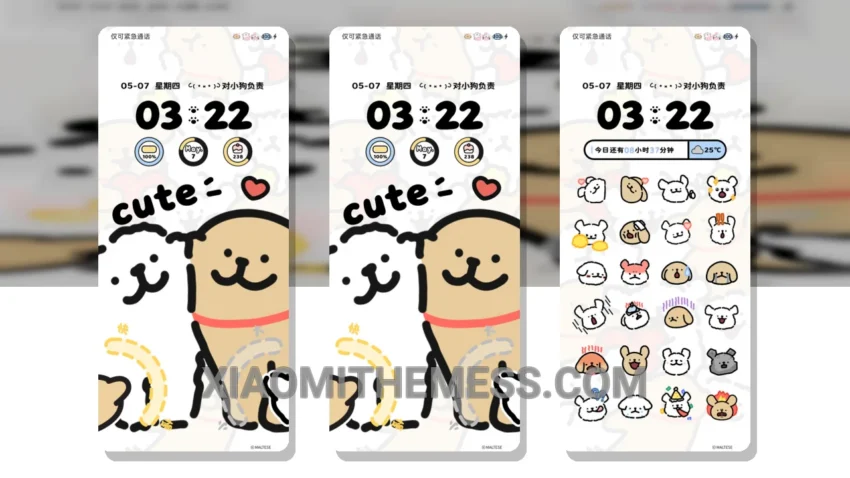
Dark mode, all day. That’s my motto. And Line Dog Cute Expressions theme is my new obsession. This delicate theme is all about dark mode optimization, with a touch of cute expressions that will brighten up your day.
First impressions matter. And this theme definitely makes a statement. The moment I applied it, I knew I was in for a treat. The clean interface and premium UI are a perfect combination for a seamless user experience.
Compatibility and Customization
The theme is fully compatible with HyperOS, MIUI 12, MIUI 13, and MIUI 14, so you don’t have to worry about any issues. Plus, it’s a great way to customize your android phone and make it truly unique. The theme is also optimized for AMOLED screens, which means it will help reduce battery drain and eye strain.
With the android launcher and icon packs integration, you can take your customization to the next level. The theme allows for a high degree of personalization, making it a great option for those who want a unique look and feel.
Performance and User Experience
In my testing, I found that the theme is very lag-free and provides a 120Hz smooth animations experience. However, one thing to note is that the theme can be a bit too minimalistic for some users, which might be a caveat for those who prefer more vibrant themes.
To be honest, I’m really impressed with the Line Dog Cute Expressions theme. It’s a great example of how dark mode can be both elegant and functional. And with its aesthetic home screen and custom control center, it’s definitely a theme that will make your phone stand out.
Theme Information
🛠️ How to Install This MTZ Theme
- Download the MTZ file to your device.
- Open the official Themes app and go to your profile.
- Import & Apply the downloaded file.