
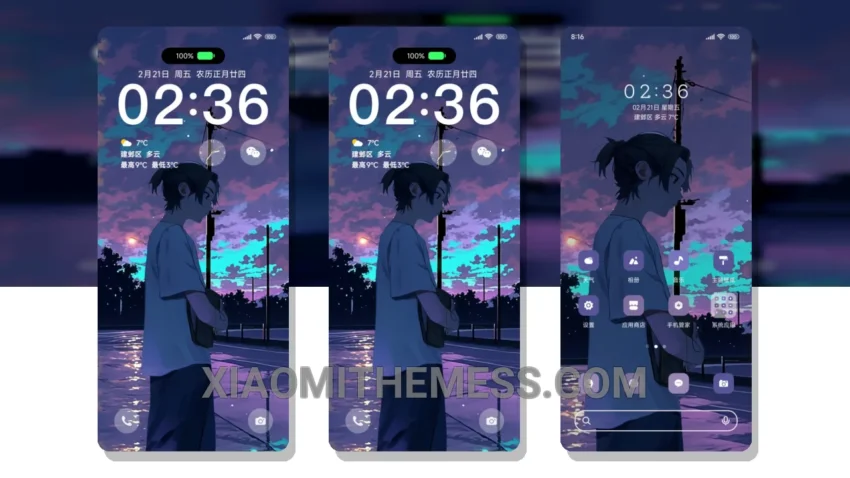
Dark, moody, and super sleek – the Lonely Dimension Boy theme is a must-have for anyone looking to give their Xiaomi device a fresh new look. This theme is all about minimalist vibes, with a predominantly dark color scheme that’s perfect for AMOLED screens.
So, what makes this theme so special? For starters, it’s fully compatible with HyperOS, MIUI 12, MIUI 13, and MIUI 14, so you can enjoy a seamless experience regardless of your device’s operating system.
Customization and Features
The theme’s custom control center and redesigned status bar are major highlights – they add a touch of sophistication to your device’s UI. Plus, the theme’s dark mode optimization ensures that your battery life won’t take a hit.
One of the best things about this theme is its ability to transform your device’s look without sacrificing performance. The theme is lightweight and designed to provide a lag-free experience, even on lower-end devices.
In terms of customization, the theme supports icon pack integration and custom widgets, so you can personalize your home screen to your heart’s content. The only downside is that the theme’s neon icons might not be to everyone’s taste – but hey, that’s a matter of personal preference.
Conclusion
To be honest, I’m thoroughly impressed with the Lonely Dimension Boy theme. The attention to detail is impressive, and the theme’s overall aesthetic is both unique and captivating. If you’re looking to give your device a fresh new look, this theme is definitely worth checking out.
Theme Information
🛠️ How to Install This MTZ Theme
- Download the MTZ file to your device.
- Open the official Themes app and go to your profile.
- Import & Apply the downloaded file.