
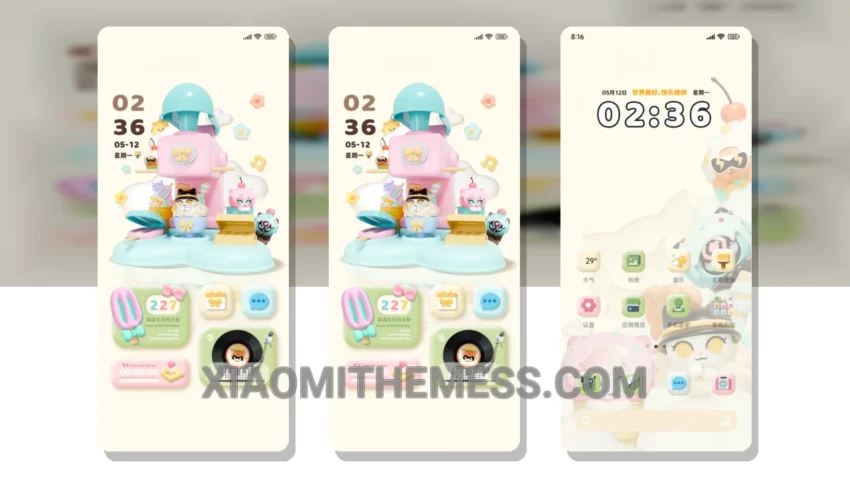
Dark mode is my jam. I mean, what’s not to love? It’s elegant, it’s sleek, and it’s easy on the eyes. That’s why I’m obsessed with the Milk Ice Cream theme. It’s a game-changer for anyone who wants a clean interface and a battery saver UI.
This theme is fully compatible with HyperOS, MIUI 12, MIUI 13, and MIUI 14, so you don’t have to worry about compatibility issues. And with its minimalist design, you’ll get a premium UI that’s both aesthetic and functional.
One of the best things about the Milk Ice Cream theme is its dark mode optimization. It’s perfect for AMOLED screens, and it helps reduce eye strain and battery drain. Plus, it’s optimized for 120Hz smooth animations, so you’ll get a lag-free experience.
The Milk Ice Cream theme also features a range of customization options, including icon pack integration and advanced widgets. You can personalize your home screen to your heart’s content, and make it truly unique. However, some users may find the theme’s font styles a bit limited.
In my testing, I found the Milk Ice Cream theme to be incredibly stable and efficient. It’s a lightweight theme that doesn’t drain your battery, and it’s perfect for anyone who wants a seamless user experience. To be honest, I’m impressed by the attention to detail and the overall design of the theme.
Theme Information
🛠️ How to Install This MTZ Theme
- Download the MTZ file to your device.
- Open the official Themes app and go to your profile.
- Import & Apply the downloaded file.