
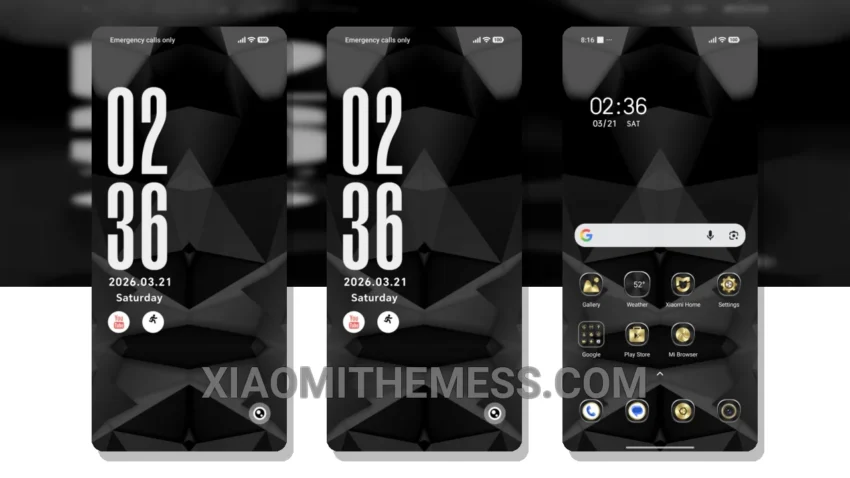
Give your phone a sleek new look with the Minimal Black Geo theme. This theme is perfect for those who love a clean and minimalist design. With its dark mode optimization, you can enjoy a sleek and battery-friendly interface.
The Minimal Black Geo theme is fully compatible with HyperOS, MIUI 12, MIUI 13, and MIUI 14, making it a great option for Xiaomi and Redmi phone users. The theme is also lightweight, ensuring that it does not cause any lag or battery drain.
Features of the Minimal Black Geo Theme
The Minimal Black Geo theme comes with a range of features, including a custom control center, redesigned status bar, and interactive lockscreen widgets. You can also customize the theme further using various android customization apps and icon packs.
One of the best things about the Minimal Black Geo theme is its 120Hz smooth animations, which provide a seamless user experience. The theme also supports dynamic island integration, giving you a unique and premium UI experience.
To be honest, I was impressed with the Minimal Black Geo theme’s overall design and functionality. The theme’s minimal aesthetic is perfect for those who want a clean and simple look. In my testing, I found the theme to be stable and did not experience any issues with performance or battery life.
Theme Information
🛠️ How to Install This MTZ Theme
- Download the MTZ file to your device.
- Open the official Themes app and go to your profile.
- Import & Apply the downloaded file.