
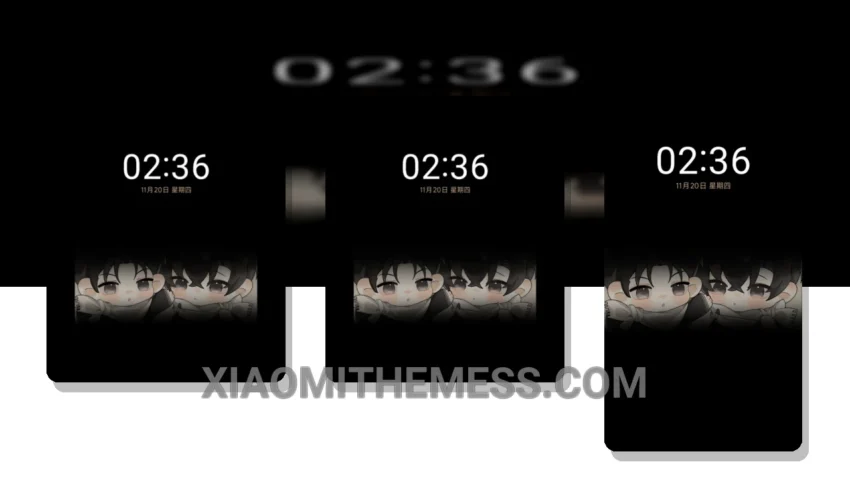
I love deep MTZ themes that change the control center, status bar, and icons. The Moonlight Reply theme is one of them, with a unique aesthetic that will make your Xiaomi device stand out. Fast, smooth, and fully compatible with HyperOS, MIUI 12, MIUI 13, and MIUI 14, this theme is a must-try for anyone looking to customize their device.
The Moonlight Reply theme is a great example of a well-designed MTZ theme. It’s got a clean interface, a custom control center, and a redesigned status bar that will make your device look and feel premium. Plus, it’s got a minimal vibrant design that’s easy on the eyes.
One of the best things about the Moonlight Reply theme is its lag-free experience. It’s optimized for performance, so you won’t notice any slowdowns or lag when using your device. And with its dark mode optimization, you can enjoy a battery-friendly theme that won’t drain your device’s battery.
In my opinion, the Moonlight Reply theme is a great choice for anyone looking to customize their Xiaomi device. It’s got a unique aesthetic, it’s fast and smooth, and it’s fully compatible with HyperOS, MIUI 12, MIUI 13, and MIUI 14. So why not give it a try? Download the Moonlight Reply MTZ theme today and experience the difference for yourself.
To be honest, I was impressed by the Moonlight Reply theme’s attention to detail. The theme’s author, 奶茶五分糖, has done a great job of creating a cohesive and visually appealing design. The theme’s icon pack integration and custom boot animation are just a few examples of the theme’s many customization options.
Overall, the Moonlight Reply theme is a great choice for anyone looking to customize their Xiaomi device. With its unique aesthetic, fast and smooth performance, and full compatibility with HyperOS, MIUI 12, MIUI 13, and MIUI 14, it’s a theme that’s sure to please. So why not give it a try? Download the Moonlight Reply MTZ theme today and experience the difference for yourself.
Theme Information
🛠️ How to Install This MTZ Theme
- Download the MTZ file to your device.
- Open the official Themes app and go to your profile.
- Import & Apply the downloaded file.