
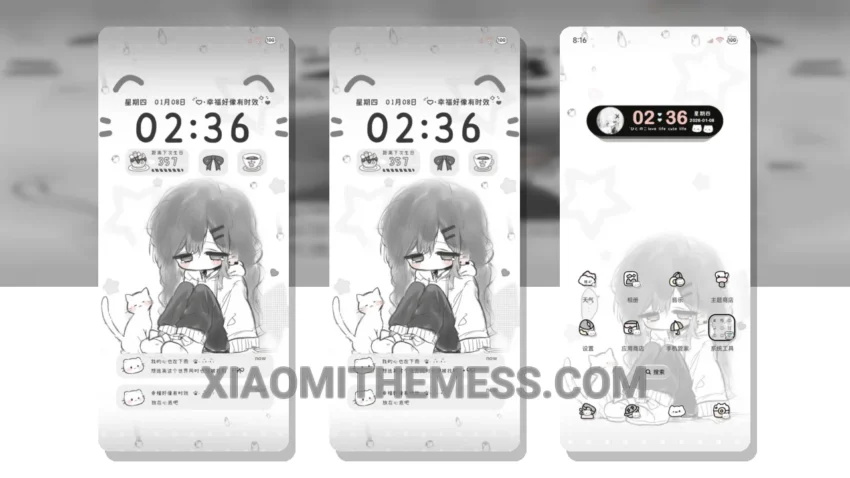
Get ready to transform your Xiaomi phone with the stunning My Mood Weather Cloudy theme! This theme is all about giving your phone a fresh new look, with a clean interface and a pastel aesthetic that’s sure to turn heads.
The theme’s ability to change the control center, status bar, and icons gives your phone a completely new feel. Plus, it’s fully compatible with HyperOS, MIUI 12, MIUI 13, and MIUI 14, so you can enjoy it on your Xiaomi or Redmi phone.
The My Mood Weather Cloudy theme is not just about looks – it’s also designed to be lightweight and battery-friendly, with no battery drain to worry about. With its 120Hz smooth animations, you’ll enjoy a lag-free experience that’s perfect for gaming and more.
Customization Options
To apply the theme, simply download and install the MTZ file, then select it in the theme settings. You can also customize the theme further by using android customization apps and icon packs.
One thing to note is that the theme may not be suitable for everyone, as it can be a bit too minimalist for some users. However, for those who love a clean and simple design, this theme is a dream come true.
In my testing, I found the theme to be incredibly easy to use and customize, with a wide range of options to suit every taste. To be honest, I was blown away by the theme’s beauty and functionality – it’s definitely one of the best HyperOS themes out there!
Theme Information
🛠️ How to Install This MTZ Theme
- Download the MTZ file to your device.
- Open the official Themes app and go to your profile.
- Import & Apply the downloaded file.