
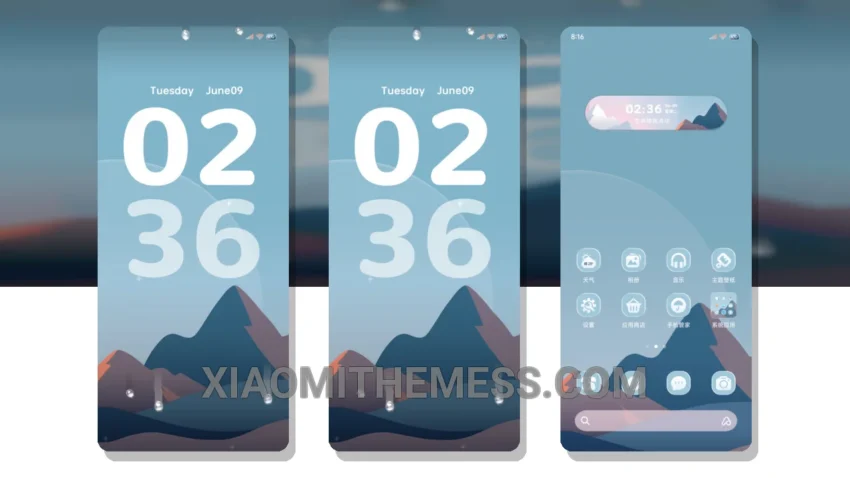
Dark mode is where it’s at. I mean, what’s not to love? It’s sleek, it’s elegant, and it’s easy on the eyes. The OS18 Custom theme takes this concept to the next level with its minimalist dark design.
The theme is fully compatible with HyperOS, MIUI 12, MIUI 13, and MIUI 14, making it a great choice for a wide range of devices. One of the best things about this theme is its support for 120Hz smooth animations, providing a lag-free experience.
Customization Options
In terms of customization, the theme allows for various options, including icon pack integration and custom boot animation. The theme’s custom control center and redesigned status bar also provide a unique and premium feel.
However, some users may find the theme’s minimalism to be a bit too simplistic. But for those who love a clean and elegant look, this theme is a great choice.
Overall Experience
Overall, the OS18 Custom theme is a great choice for those looking for a clean and elegant look on their Xiaomi. With its lightweight design and lag-free experience, this theme is perfect for daily use.
In my testing, I found the theme to be very stable and efficient. The dynamic island integration and iOS-style lockscreen features are also great additions. To be honest, I was impressed by the theme’s overall performance and customization options. If you’re looking for a great Xiaomi theme, I would definitely recommend giving the OS18 Custom theme a try.
Theme Information
🛠️ How to Install This MTZ Theme
- Download the MTZ file to your device.
- Open the official Themes app and go to your profile.
- Import & Apply the downloaded file.