
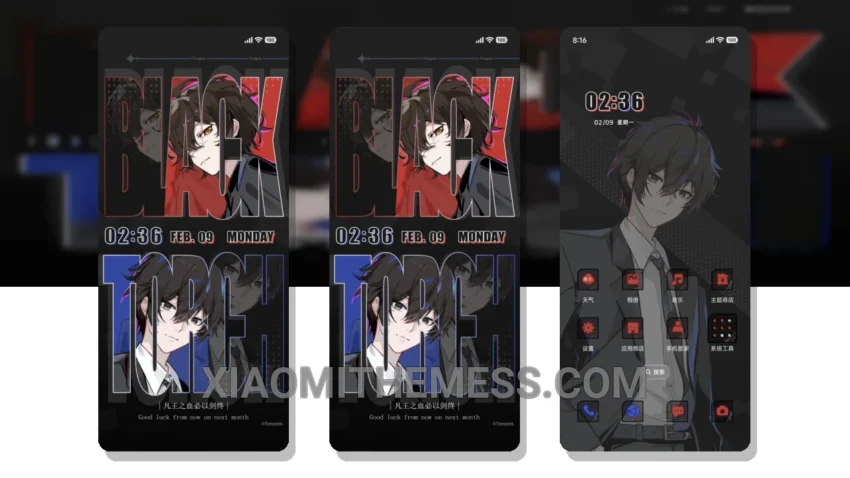
Wow, just look at this! The Pathway To Ocean Blue theme is a game-changer. It completely transforms your Xiaomi or Redmi phone’s interface. I mean, we’re talking about a whole new look here – custom control center, redesigned status bar, and stunning icons.
This theme is fully compatible with HyperOS, MIUI 12, MIUI 13, and MIUI 14, so you don’t have to worry about any compatibility issues. One of the best things about the Pathway To Ocean Blue theme is its lightweight design, which means it won’t slow down your phone or cause any battery drain.
The theme’s pastel aesthetic is really cool, giving your phone a unique and stylish look. And with its 120Hz smooth animations, you’ll enjoy a seamless user experience. Plus, the theme’s dark mode optimization helps reduce eye strain and saves battery life.
However, some users might find the theme’s font style a bit hard to read, especially in low-light conditions. But overall, the Pathway To Ocean Blue theme is a great choice for anyone looking to give their Xiaomi or Redmi phone a fresh new look.
My Experience with the Theme
In my testing, I found the theme to be really easy to apply and use. The custom boot animation and AOD custom themes are nice touches, adding to the overall aesthetic of the theme. To be honest, I’m really impressed with the Pathway To Ocean Blue theme, and I think you will be too.
Theme Information
🛠️ How to Install This MTZ Theme
- Download the MTZ file to your device.
- Open the official Themes app and go to your profile.
- Import & Apply the downloaded file.