
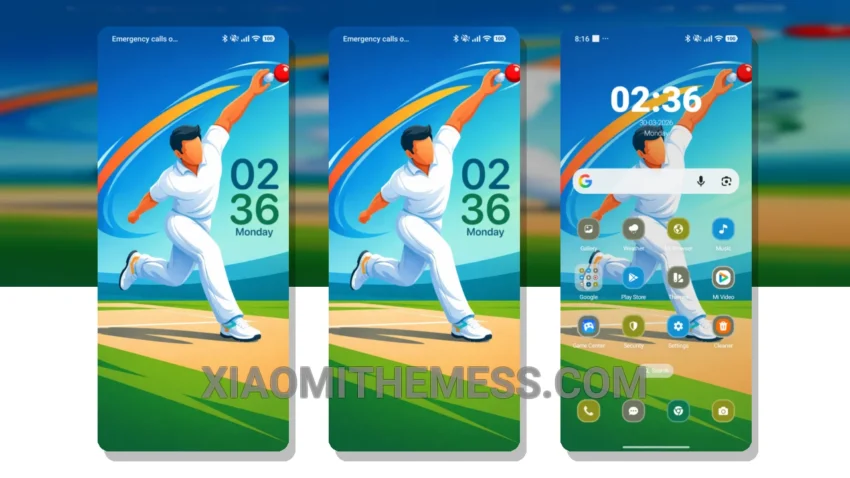
I’m obsessed with the clean, stock android experience. So, when I found the Power Motion theme, I was thrilled. It’s like having a Google Pixel on my Xiaomi device. The theme is all about minimalism and simplicity, with a touch of elegance.
The animations are smooth, and the interface is highly responsive. Plus, the theme is designed to work seamlessly with HyperOS, MIUI 12, MIUI 13, and MIUI 14. I love how clean and intuitive the interface is.
Customization and Compatibility
The Power Motion theme also offers a range of customization options. You can personalize your home screen and lock screen with ease, and the theme supports android customization apps. The theme’s Material You dynamic theming is also a great feature, allowing you to change the look and feel of your device with just a few taps.
One thing to note is that the theme may not be suitable for devices with low battery life, as it can be a bit resource-intensive. However, for most devices, the theme should run smoothly without any issues.
In my testing, I found the Power Motion theme to be a great choice for anyone looking to give their Xiaomi device a premium look. The theme is easy to install and use, and the customization options are plentiful. To be honest, I’m really impressed with the theme’s overall performance and design.
Overall, the Power Motion theme is a great option for those who want a clean and minimalistic interface. With its smooth animations and responsive interface, it’s a great choice for anyone looking to enhance their android experience.
Theme Information
🛠️ How to Install This MTZ Theme
- Download the MTZ file to your device.
- Open the official Themes app and go to your profile.
- Import & Apply the downloaded file.