
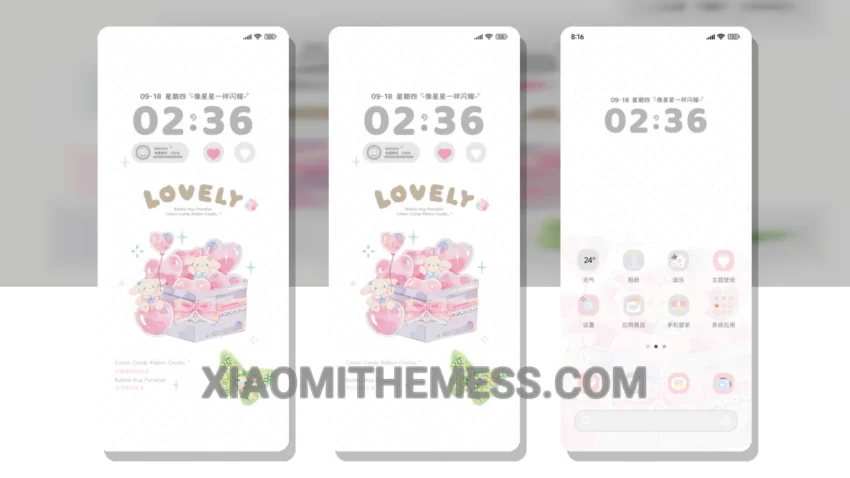
Delicate pastel hues, smooth animations, and a clean interface – that’s what the Rabbit Dream Gift Box theme is all about. This theme is fully compatible with HyperOS, MIUI 12, MIUI 13, and MIUI 14, making it a great choice for Xiaomi users.
One of the standout features of this theme is its minimal vibrant design, which gives your home screen a fresh and aesthetic look. The theme also has a custom boot animation and AOD custom themes, adding to the overall premium feel.
In terms of performance, the theme is lightweight and has no battery drain, thanks to its dark mode optimization for AMOLED screens. This means you can enjoy the theme without worrying about it affecting your device’s battery life.
The Rabbit Dream Gift Box theme also has a custom control center, allowing you to customize your device to your liking. Additionally, the theme supports icon pack integration, giving you even more options to personalize your home screen.
However, some users may find the theme’s design a bit too simplistic. To be honest, I think the theme’s minimal design is part of its charm, but it’s worth considering if you prefer more complex themes.
In my testing, the theme performed smoothly, with 120Hz smooth animations and a lag-free experience. Overall, I’m impressed with the Rabbit Dream Gift Box theme and would definitely recommend it to anyone looking for a clean and efficient theme for their Xiaomi device.
Theme Information
🛠️ How to Install This MTZ Theme
- Download the MTZ file to your device.
- Open the official Themes app and go to your profile.
- Import & Apply the downloaded file.