
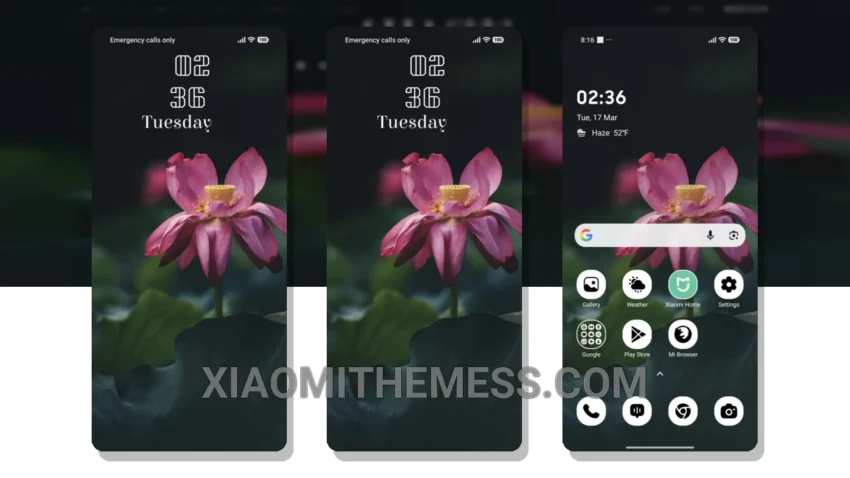
Fast. Simple. Beautiful. That’s what you get with Radiant Lotus, a theme that embodies the elegance of dark mode. Dark mode just got a whole lot better with this theme, which is all about contrast and AMOLED optimization, making it a must-have for anyone looking to save battery and reduce eye strain.
Get ready to experience the beauty of dark mode like never before. Radiant Lotus is fully compatible with HyperOS, MIUI 12, MIUI 13, and MIUI 14, ensuring a seamless experience across different Xiaomi devices.
Customization Options
Radiant Lotus offers a range of options to personalize your phone’s look and feel. From custom boot animations to interactive lockscreen widgets, you can tailor your experience to suit your preferences. The theme’s design is thoughtful and well-executed, making it a joy to use.
One of the best things about Radiant Lotus is its ability to provide a lag-free experience, thanks to its lightweight design and system optimization. This means you can enjoy smooth animations and a responsive interface without any performance issues.
However, it’s worth noting that Radiant Lotus may not be suitable for everyone, particularly those who prefer brighter and more vibrant themes. But for those who appreciate the simplicity and elegance of dark mode, Radiant Lotus is definitely worth checking out.
To be honest, I was blown away by the attention to detail in Radiant Lotus. If you’re looking for a theme that combines style and functionality, Radiant Lotus is definitely worth considering. In my testing, Radiant Lotus proved to be a reliable and efficient theme that delivers on its promises, with its stunning dark mode design, lightweight performance, and range of customization options, making it an excellent choice for anyone looking to enhance their Xiaomi or HyperOS experience.
Radiant Lotus is an excellent example of a dark mode theme done right, with its focus on contrast and AMOLED optimization. With its lightweight design and system optimization, Radiant Lotus provides a seamless and lag-free experience that’s perfect for anyone looking to customize their Android phone.
Theme Information
🛠️ How to Install This MTZ Theme
- Download the MTZ file to your device.
- Open the official Themes app and go to your profile.
- Import & Apply the downloaded file.