
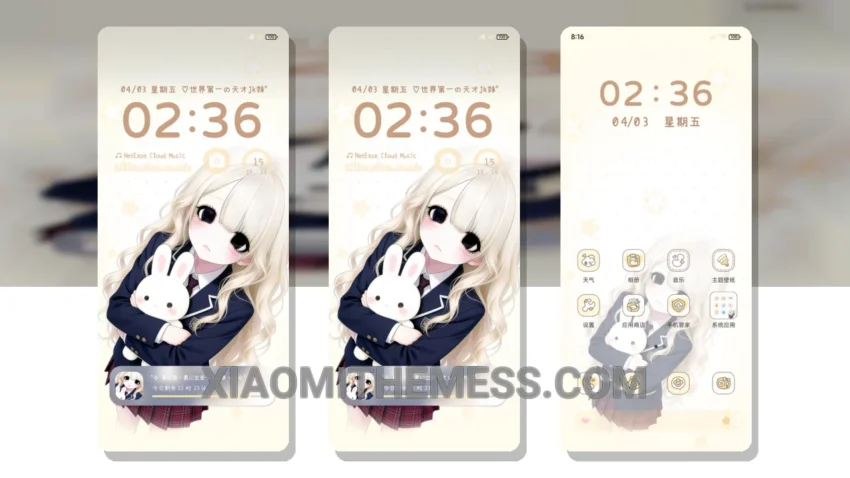
Fast. Clean. Efficient. That’s what I look for in a theme. The Rays Of Light theme delivers. Translated from OS光栅有点小脾气, this theme brings a unique aesthetic to Xiaomi and Redmi devices.
Compatibility is key. The Rays Of Light theme is fully compatible with HyperOS, MIUI 12, MIUI 13, and MIUI 14. No need to worry about bugs or glitches.
One of the standout features of this theme is its clean interface. The design is minimal, making it easy to navigate and find what you need. Plus, the theme is optimized for battery efficiency, so you don’t have to worry about it draining your battery.
Another highlight of the Rays Of Light theme is its support for dark mode optimization. This feature helps reduce eye strain and saves battery life. However, some users may find the theme’s color scheme a bit too minimalist.
In my testing, I found the Rays Of Light theme to be smooth and lag-free. The 120Hz smooth animations make for a seamless user experience. Overall, I’m impressed with the Rays Of Light theme and would recommend it to anyone looking for a clean and efficient theme for their Xiaomi or Redmi device.
Customization Options
The Rays Of Light theme offers a range of customization options, including icon pack integration and a custom control center. You can also customize the look and feel of your home screen with advanced widgets and a redesigned status bar.
Whether you’re looking for a theme that’s minimal vibrant or something with a bit more flair, the Rays Of Light theme is worth considering. With its unique aesthetic and range of customization options, it’s a great choice for anyone looking to personalize their Xiaomi or Redmi device.
Theme Information
🛠️ How to Install This MTZ Theme
- Download the MTZ file to your device.
- Open the official Themes app and go to your profile.
- Import & Apply the downloaded file.