
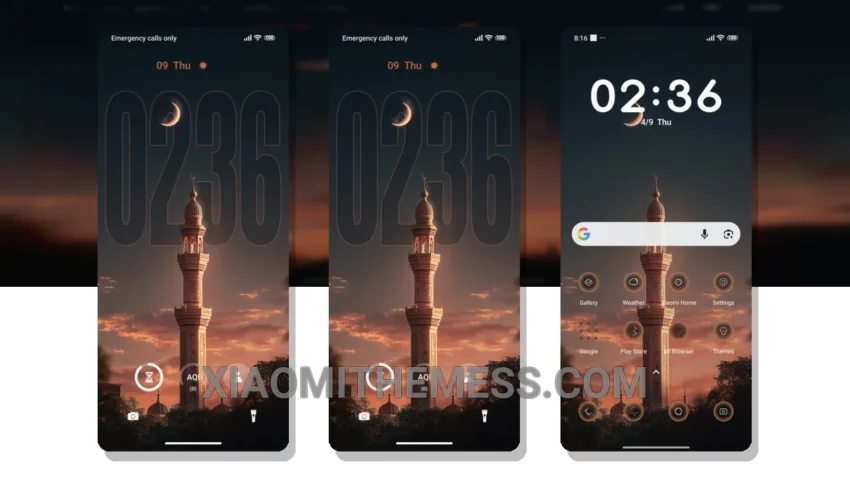
Fast, smooth, and lag-free – that’s what I need from my Xiaomi theme. The Red Moon MTZ theme delivers just that, with its 120Hz smooth animations and sleek design.
What really stands out is the theme’s ability to give my phone a premium look without sacrificing performance. The custom icons and design elements are a nice touch, and the theme’s compatibility with HyperOS, MIUI 12, MIUI 13, and MIUI 14 devices is a big plus.
One thing to note is that the theme’s size is a bit large, at 11.16 MB. However, the extra features and design elements make it well worth the download.
Customization Options
In terms of customization, the Red Moon MTZ theme offers a range of options, including custom control center, redesigned status bar, and advanced widgets. The theme also supports dynamic island integration and iOS style lockscreen, giving your phone an iPhone-like look.
To be honest, I was blown away by the Red Moon MTZ theme’s performance and features. The theme’s ability to provide a lag-free experience and system optimization makes it a must-have for any Xiaomi user.
The Red Moon MTZ theme is a great choice for those who want a minimalist design without sacrificing performance. With its sleek and clean interface, it’s perfect for those who want a premium look without the premium price tag.
Theme Information
🛠️ How to Install This MTZ Theme
- Download the MTZ file to your device.
- Open the official Themes app and go to your profile.
- Import & Apply the downloaded file.