
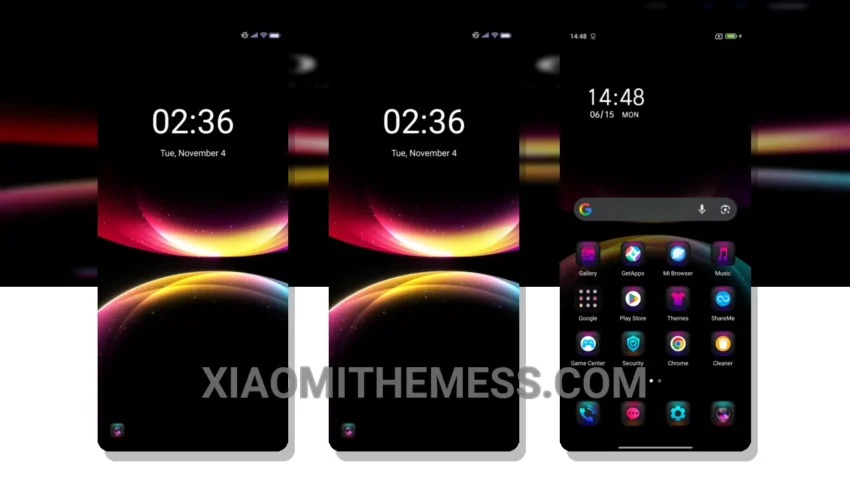
Dark mode just got a whole lot better. Reduced Aurora is a stunning theme that brings a touch of elegance to your Xiaomi device. With its dark, minimalist design, this theme is perfect for those who want a clean and sophisticated look.
The theme is fully compatible with HyperOS, MIUI 12, MIUI 13, and MIUI 14, so you can enjoy a seamless experience regardless of your device’s operating system. One of the standout features of Reduced Aurora is its dark mode optimization, which helps to reduce eye strain and save battery life.
Customization Options
Applying the theme is a breeze, and you can customize it to your heart’s content. The theme supports icon pack integration, so you can choose from a wide range of icons to match your style. Plus, with its lag-free experience and 120Hz smooth animations, you’ll enjoy a seamless and responsive interface.
While the theme is generally a great choice, one potential caveat is that it may not be suitable for devices with lower resolution displays. However, for most users, the details of the theme far outweigh this minor limitation.
Conclusion
In my testing, I found the Reduced Aurora theme to be a great choice for anyone looking for a dark, minimalist design. The theme’s battery saver UI is a major plus, and the overall aesthetic is both modern and sophisticated. To be honest, I’m impressed with the attention to detail and the level of customization available.
Theme Information
🛠️ How to Install This MTZ Theme
- Download the MTZ file to your device.
- Open the official Themes app and go to your profile.
- Import & Apply the downloaded file.