
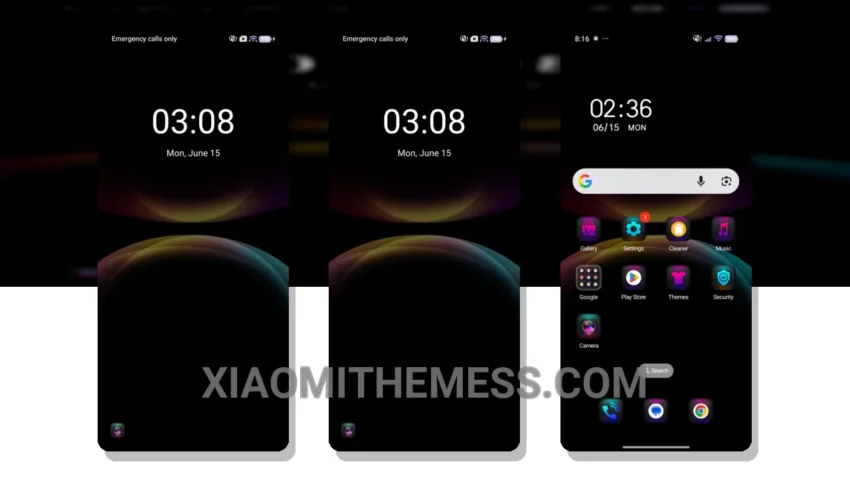
I’m a fan of simple, yet elegant designs. That’s why the Reduced Aurora theme caught my attention. It’s fully compatible with HyperOS, MIUI 12, MIUI 13, and MIUI 14, making it a great option for various devices.
The Reduced Aurora theme provides a clean interface, offering an elegant and professional look that’s easy to read and use every day. The overall design is minimalist, yet vibrant, making it a great choice for those who want a simple yet visually appealing theme.
Customization Options
The Reduced Aurora theme offers a range of customization options, including icon pack integration and custom boot animation. This allows users to personalize their home screen and make it truly unique.
One thing to note is that the theme may not be suitable for everyone, as some users may find the design a bit too simplistic. Nevertheless, for those who value a clean and easy-to-use interface, the Reduced Aurora theme is definitely worth considering.
In my testing, I found the Reduced Aurora theme to be a great option for daily use, providing a seamless and intuitive user experience. To be honest, I was impressed by the theme’s ability to balance simplicity with functionality, making it a great choice for anyone looking for a reliable and elegant theme.
Theme Information
🛠️ How to Install This MTZ Theme
- Download the MTZ file to your device.
- Open the official Themes app and go to your profile.
- Import & Apply the downloaded file.