
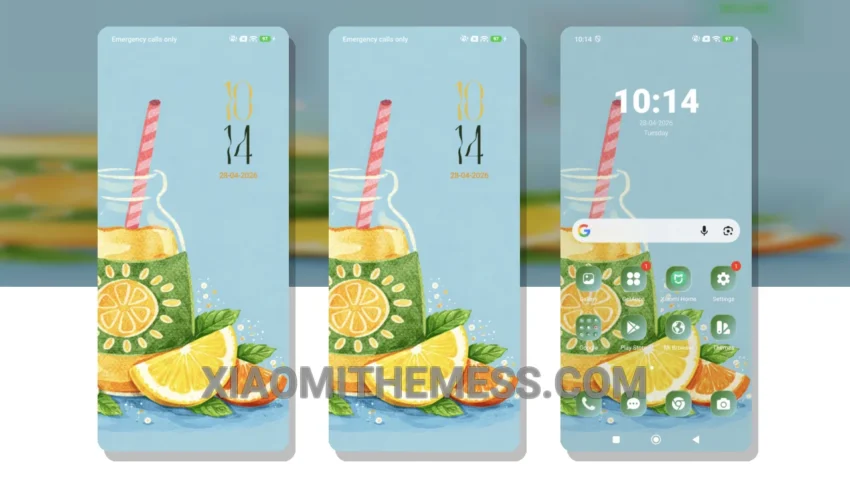
Dark mode is not just a trend, it’s a way of life. For those who swear by the elegance of dark interfaces, the Refresh Rush theme is a dream come true. This theme embodies simplicity and sophistication, making it perfect for Xiaomi and HyperOS devices.
The Refresh Rush theme is fully compatible with HyperOS, MIUI 12, MIUI 13, and MIUI 14, ensuring a seamless experience across various Xiaomi devices. With its clean interface and premium UI, this theme is ideal for those who value a clutter-free and refined design.
Key Features and Customization Options
One of the standout features of the Refresh Rush theme is its battery saver UI, which helps minimize battery drain and optimize performance. Additionally, the theme’s dark mode optimization ensures a comfortable viewing experience, even in low-light environments.
In terms of customization, the Refresh Rush theme offers a range of options, including custom control center and redesigned status bar. This allows users to personalize their home screen and lock screen to suit their preferences, making it a great choice for those who value flexibility.
While the Refresh Rush theme excels in many areas, one potential caveat is its limited icon pack integration. However, this is a minor trade-off considering the theme’s numerous highlights, including its lightweight design, lag-free experience, and 120Hz smooth animations.
To be honest, I’m impressed with the Refresh Rush theme’s overall performance and aesthetic appeal. In my testing, the theme proved to be a great choice for those seeking a reliable, elegant, and professional UI that is easy to read and use every day.
Theme Information
🛠️ How to Install This MTZ Theme
- Download the MTZ file to your device.
- Open the official Themes app and go to your profile.
- Import & Apply the downloaded file.