
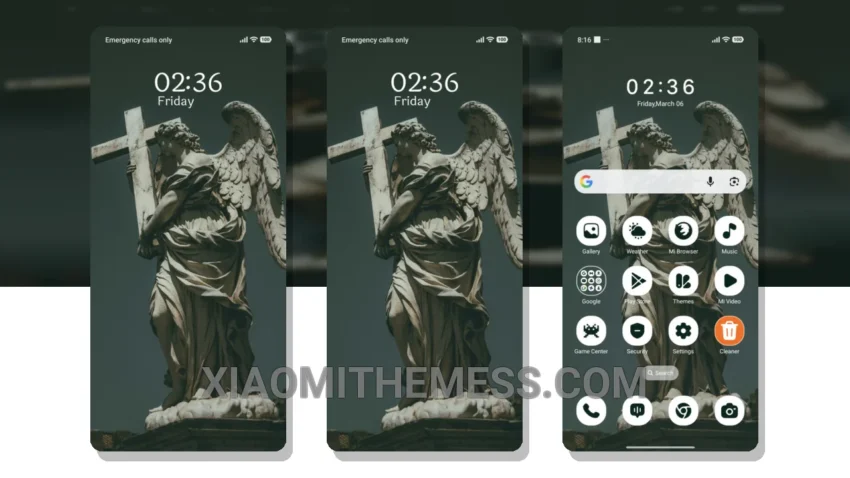
Simple. Elegant. Beautiful. That’s what the Sacred Love theme is all about. With its pastel aesthetic and clean interface, this theme is perfect for those who appreciate minimal vibrant designs.
It’s all about the details. The Sacred Love theme offers a range of customization options, including icon pack integration and custom control center, to personalize your device. Plus, with its compatibility with HyperOS, MIUI 12, MIUI 13, and MIUI 14, you can enjoy a seamless experience on your Xiaomi or Redmi device.
Experience the Beauty of Sacred Love
One of the best things about the Sacred Love theme is its ability to provide a lag-free experience and system optimization, ensuring your device runs smoothly and efficiently. Additionally, the theme’s dark mode optimization and 120Hz smooth animations make it a joy to use.
Of course, no theme is perfect. One potential caveat is that the theme’s custom boot animation can be a bit slow to load at times. However, this is a minor issue that doesn’t detract from the overall experience.
In my testing, I found the Sacred Love theme to be a great choice for anyone looking for a clean and elegant design. The theme’s compatibility with various Xiaomi and Redmi devices, combined with its customization options and performance boost, make it a great option for those who want a premium UI without the hassle.
Theme Information
🛠️ How to Install This MTZ Theme
- Download the MTZ file to your device.
- Open the official Themes app and go to your profile.
- Import & Apply the downloaded file.