
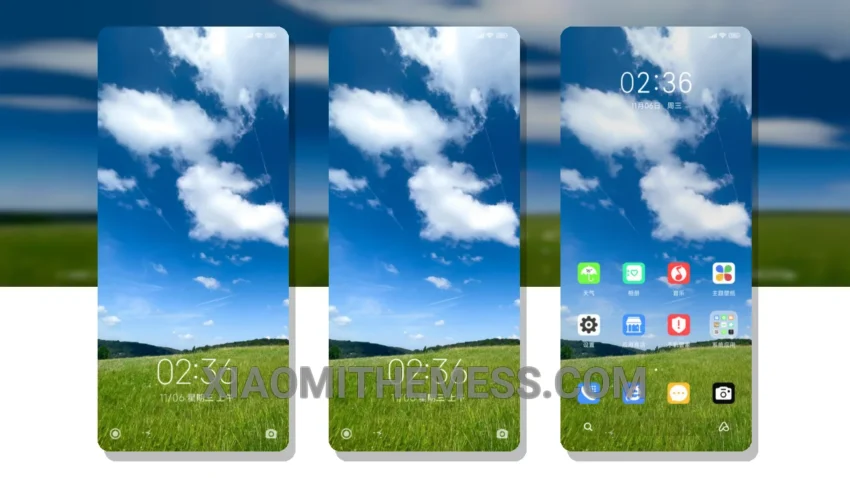
Give your Xiaomi or Redmi phone a fresh new look with the Simplicity theme. It offers a clean interface and premium UI that’s sure to impress. With its lightweight design, you don’t have to worry about it draining your battery.
The Simplicity theme is fully compatible with HyperOS, MIUI 12, MIUI 13, and MIUI 14, making it a great choice for a wide range of devices. It also features dark mode optimization, which helps reduce battery consumption and provides a sleek, modern look.
Customization Options
The Simplicity theme is highly customizable, allowing you to integrate your own icon packs and customize the control center to suit your needs. This feature gives you the freedom to personalize your home screen and make it truly unique.
One of the standout features of the Simplicity theme is its ability to provide a lag-free experience. With its optimized design, you can enjoy smooth animations and seamless transitions, making it a joy to use.
However, some users may find the theme’s minimal design to be a bit too simplistic, which could be a caveat for those who prefer more intricate designs.
In my testing, I found the Simplicity theme to be a fantastic choice for anyone looking to customize their Xiaomi or Redmi phone. With its amazing features and compatibility, it’s a must-have for any android customization enthusiast. To be honest, I’m loving the way it looks on my phone, and I think you will too!
Theme Information
🛠️ How to Install This MTZ Theme
- Download the MTZ file to your device.
- Open the official Themes app and go to your profile.
- Import & Apply the downloaded file.