
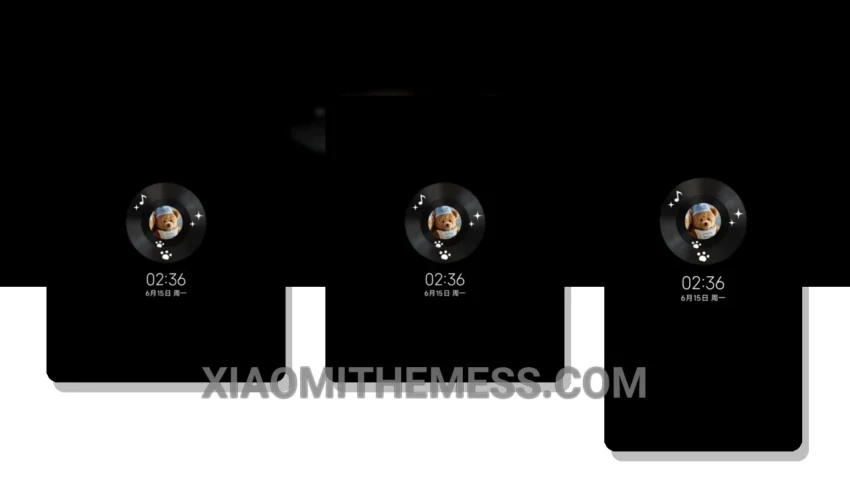
Get ready to fall in love with the Sleepy Bear Accompanies You MTZ theme! It’s a game-changer for those seeking a reliable and elegant UI. This theme is fully compatible with HyperOS, MIUI 12, MIUI 13, and MIUI 14, making it a versatile choice for Xiaomi users.
The Sleepy Bear Accompanies You MTZ theme boasts a clean interface, providing a clutter-free home screen that’s easy on the eyes. The custom control center allows for easy access to frequently used settings, while the redesigned status bar gives your device a sleek and modern look.
In terms of performance, this theme is a winner. It’s lightweight, doesn’t cause any battery drain, and is optimized for 120Hz smooth animations, ensuring a lag-free experience. The theme also supports dark mode optimization, which helps reduce eye strain and conserve battery life.
What Sets It Apart
The Sleepy Bear Accompanies You MTZ theme offers a premium UI experience without sacrificing performance. Its pastel aesthetic and minimal vibrant design elements create a visually appealing interface. However, some users may find the theme’s icon pack to be limited in terms of customization options.
To apply the Sleepy Bear Accompanies You MTZ theme, simply download it from the theme store and follow the prompts. The theme is approximately 23.85 MB in size, making it a relatively small download.
In my testing, I found the Sleepy Bear Accompanies You MTZ theme to be a great choice for daily use. The theme’s combination of elegance, reliability, and performance makes it an excellent option for those looking for a high-quality Xiaomi theme. So why wait? Download the Sleepy Bear Accompanies You MTZ theme today and transform your Xiaomi device!
Theme Information
🛠️ How to Install This MTZ Theme
- Download the MTZ file to your device.
- Open the official Themes app and go to your profile.
- Import & Apply the downloaded file.