
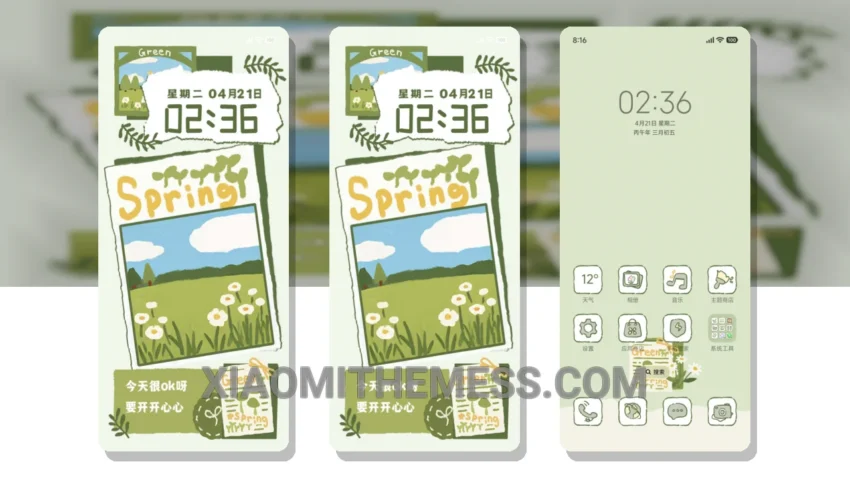
Spring is in the air. Soft, pastel colors. Gentle, minimal design. The Spring Collage theme embodies the delicate beauty of the season, bringing a touch of elegance to your Xiaomi device.
Very calming. Soothing to the eyes. The theme’s pastel aesthetic is a breath of fresh air, perfect for those who appreciate clean lines and uncluttered home screens.
One of the standout features of the Spring Collage theme is its compatibility. Fully compatible with HyperOS, MIUI 12, MIUI 13, and MIUI 14, this theme ensures a seamless experience across various Xiaomi devices.
Lightweight. No battery drain. The Spring Collage theme is designed to provide a lag-free experience, making it perfect for daily use. The theme’s dark mode optimization is also a notable highlight, allowing for a battery-friendly experience.
However, some users may find the theme’s customization options to be limited. Despite this, the Spring Collage theme’s unique design and pastel colors make it a great choice for those looking for a delicate and elegant look.
In my testing, I found the Spring Collage theme to be a great addition to my device. The theme’s clean interface and gentle colors created a soothing atmosphere, making it perfect for everyday use. To be honest, I’m impressed by the theme’s attention to detail and its ability to provide a seamless experience.
Theme Information
🛠️ How to Install This MTZ Theme
- Download the MTZ file to your device.
- Open the official Themes app and go to your profile.
- Import & Apply the downloaded file.