
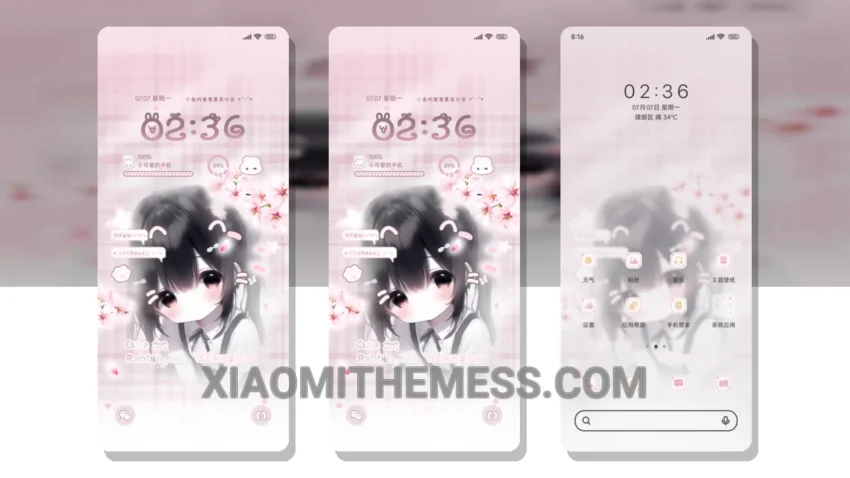
Sweet treats and cute rabbits, what’s not to love? The Sweet Pastry Cute Rabbit Girl theme is a delightful addition to any Xiaomi or HyperOS device. With its pastel aesthetic and whimsical design, this theme is perfect for those who appreciate a touch of sweetness in their digital lives.
The theme is fully compatible with HyperOS, MIUI 12, MIUI 13, and MIUI 14 devices, making it a great option for those looking for a consistent and seamless user experience across different devices.
One of the standout features of this theme is its focus on minimalist design. The clean lines, simple icons, and muted color palette all work together to create a visually appealing and easy-to-use interface. Whether you’re browsing through your apps or customizing your home screen, the Sweet Pastry Cute Rabbit Girl theme makes it all a breeze.
In terms of performance, the theme is designed to be lightweight and battery-friendly, with a focus on dark mode optimization and minimal battery drain. This means you can enjoy your favorite apps and features without worrying about running out of juice.
Of course, no theme is perfect, and one potential caveat of the Sweet Pastry Cute Rabbit Girl theme is that it may not be as highly customizable as some other themes on the market. However, the theme’s simplicity and ease of use make up for this, and the ability to change icon packs and customize the control center provides plenty of opportunities for personalization.
To be honest, I’m thoroughly enjoying the Sweet Pastry Cute Rabbit Girl theme on my device. The combination of cute design elements and clean interface makes for a truly unique and enjoyable user experience. If you’re looking for a theme that’s a little bit sweet and a whole lot of fun, this might just be the perfect choice for you.
Theme Information
🛠️ How to Install This MTZ Theme
- Download the MTZ file to your device.
- Open the official Themes app and go to your profile.
- Import & Apply the downloaded file.