
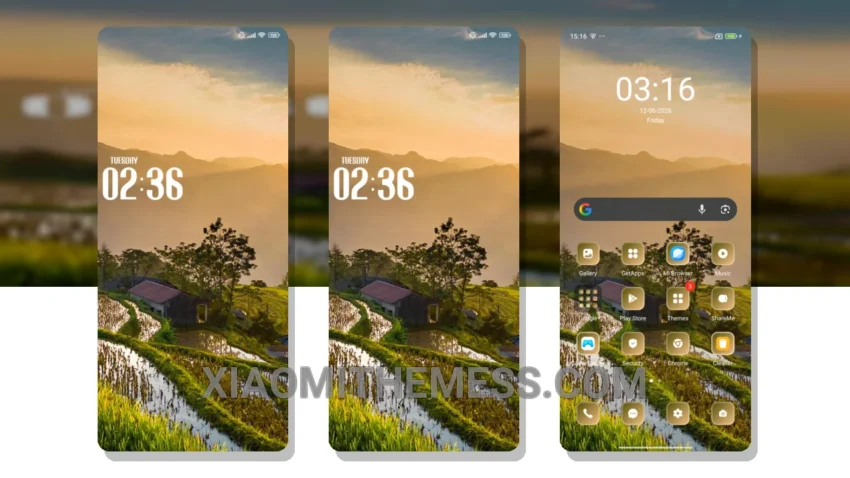
Dark mode just got a whole new level of elegance with the Trees theme. I’m obsessed with the way it gives my Xiaomi a premium makeover, complete with an iOS-like look and feel. The clean interface is stunning, with a range of custom elements that make my device stand out.
The Trees theme features a redesigned status bar, advanced widgets, and interactive lockscreen widgets that make my device look and feel like a high-end smartphone. And the best part? It’s fully compatible with HyperOS, MIUI 12, MIUI 13, and MIUI 14, so I can enjoy its features regardless of my device.
One of the things I love about the Trees theme is its focus on dark mode optimization. The theme is designed to save battery life and reduce eye strain, making it perfect for anyone who spends a lot of time on their device. Plus, the lightweight design means I don’t have to worry about battery drain or lag.
Customization Options
The Trees theme offers a range of custom elements, including icon pack integration, volume panel customizer, and more. I can personalize my device to fit my style, which is a major plus. And with the theme’s clean interface, I can enjoy a seamless user experience that’s both elegant and intuitive.
Overall, I’m loving the Trees theme on my Redmi Note. The premium look and feel, combined with the range of features and battery-friendly design, make it the perfect choice for anyone who wants a high-end smartphone experience without the high-end price tag. To be honest, I’ve been using the Trees theme for a while now, and I’m absolutely loving it.
Theme Information
🛠️ How to Install This MTZ Theme
- Download the MTZ file to your device.
- Open the official Themes app and go to your profile.
- Import & Apply the downloaded file.