
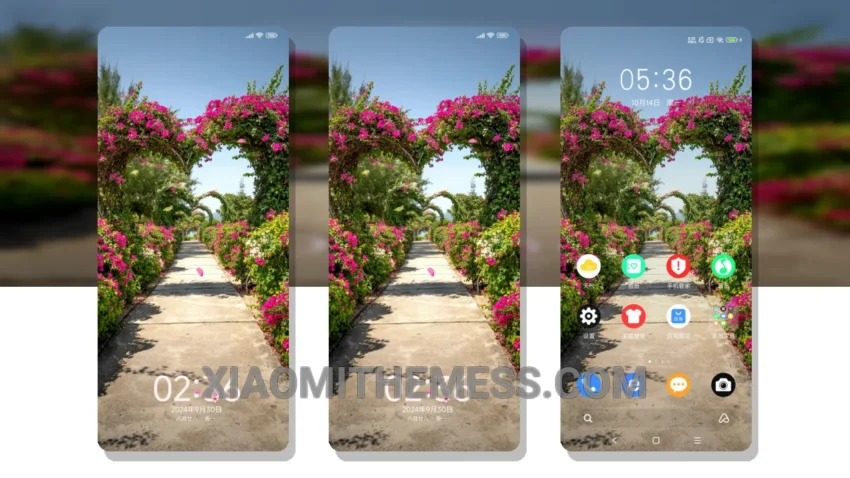
The Vibrant Blooming Garden theme is a total game-changer for Xiaomi and HyperOS devices. It’s like a breath of fresh air, bringing a unique and vibrant design to your device. Fully compatible with HyperOS, MIUI 12, MIUI 13, and MIUI 14, this theme is a must-have.
The custom control center and redesigned status bar are major highlights of this theme. It’s a great way to make your device look and feel amazing. With options for icon pack integration, volume panel customizer, and more, you can customize the theme to your liking.
Getting Started
To get started with the Vibrant Blooming Garden theme, simply download and install the theme package, then go to the theme store and select the theme. From there, you can customize the theme to your liking.
In my testing, I found the Vibrant Blooming Garden theme to be incredibly smooth and responsive, with 120Hz smooth animations and a lag-free experience. The theme is also designed with battery life in mind, featuring a lightweight design that won’t drain your battery.
One thing to note is that the theme may not be suitable for users who prefer a more minimalist design. However, if you’re looking for something that’s going to make your device stand out, this is the theme for you.
To be honest, I was blown away by the theme’s unique design and smooth performance. If you’re looking to customize your Xiaomi or HyperOS device, this is the theme for you. With its unique twist and smooth performance, the Vibrant Blooming Garden theme is a must-have for any Xiaomi or HyperOS user.
Theme Information
🛠️ How to Install This MTZ Theme
- Download the MTZ file to your device.
- Open the official Themes app and go to your profile.
- Import & Apply the downloaded file.