
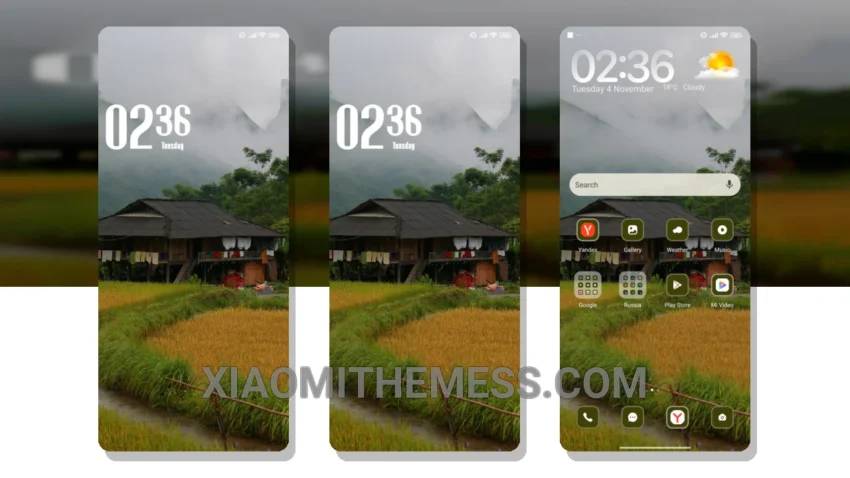
Simplicity is key. That’s what I love about the Village theme. It’s clean, it’s elegant, and it’s perfect for those who appreciate pastel aesthetic themes. With its soft color palette and minimalist design, this theme is sure to give your Xiaomi device a fresh new look.
Really cool. The theme’s ability to provide a lag-free experience, thanks to its lightweight design and system optimization, is a major plus. This means you can enjoy smooth animations and a responsive interface without any performance issues.
Compatibility and Features
The Village theme is fully compatible with HyperOS, MIUI 12, MIUI 13, and MIUI 14. This ensures that you can enjoy the theme’s features without worrying about compatibility issues. Additionally, the theme’s dark mode optimization helps to reduce battery consumption, making it a great choice for those who want to save power.
One thing to note is that the theme’s customization options are limited compared to other themes on the market. Nevertheless, the theme’s default design is so well-crafted that you may not feel the need to customize it at all.
My Verdict
In my testing, I found the Village theme to be a great choice for those who want a simple, yet elegant design. The theme’s clean interface and premium UI make it a great option for those who appreciate a minimalist aesthetic. To be honest, I’m impressed with the theme’s overall design and performance, and I think it’s a great choice for anyone looking to give their Xiaomi device a fresh new look.
Theme Information
🛠️ How to Install This MTZ Theme
- Download the MTZ file to your device.
- Open the official Themes app and go to your profile.
- Import & Apply the downloaded file.