
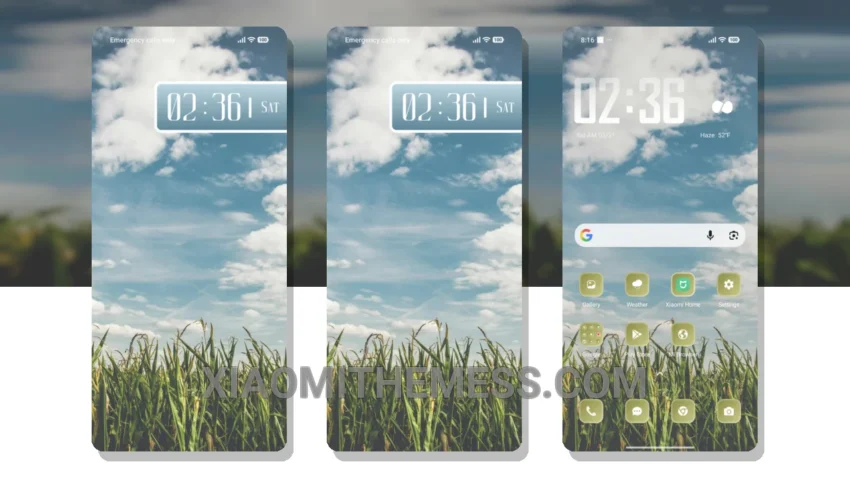
Dark mode, all the time. That’s my motto. So, when I stumbled upon the Golden Harvest theme, I was immediately drawn to its dark mode optimization. This theme is all about elegance and simplicity, with a focus on saving battery life and reducing eye strain.
The first thing I noticed about Golden Harvest was its compatibility – it works seamlessly with HyperOS, MIUI 12, MIUI 13, and MIUI 14. That’s a big plus in my book. I also appreciate how lightweight the theme is, ensuring a smooth and efficient user experience.
One of the standout features of Golden Harvest is its ability to customize the look and feel of your device. With icon pack integration, custom boot animation, and more, you can really make this theme your own. And, with its battery saver UI, you don’t have to worry about it draining your battery.
Customization Options
Golden Harvest theme offers a range of customization options, including custom control center, redesigned status bar, and advanced widgets. You can also integrate your favorite icon packs for a personalized look.
Of course, no theme is perfect. One thing I’ve noticed is that the theme can be a bit slow to load at times. However, this is a minor quibble, and overall, I’m really impressed with Golden Harvest.
In my testing, I’ve found that Golden Harvest is a great choice for anyone looking for a clean interface with a dark mode twist. The theme is fully compatible with a range of devices, and its customization options are extensive. To be honest, I’m a big fan of this theme, and I think you will be too.
Theme Information
🛠️ How to Install This MTZ Theme
- Download the MTZ file to your device.
- Open the official Themes app and go to your profile.
- Import & Apply the downloaded file.