
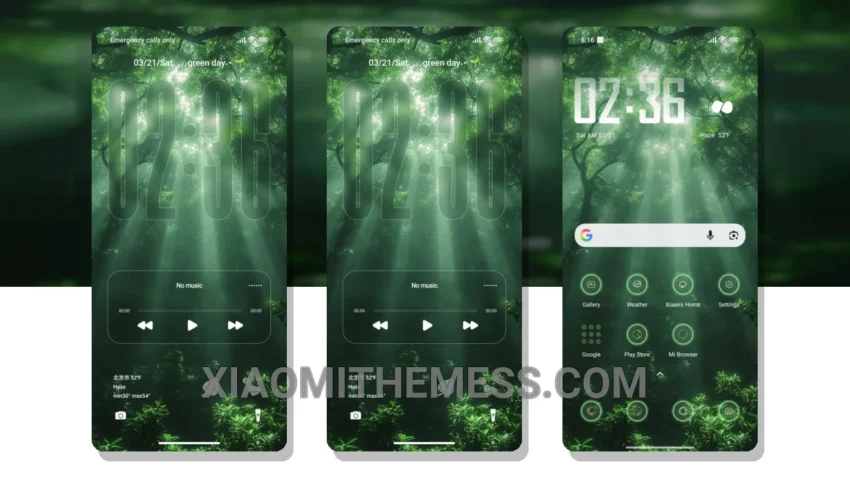
Minimalism is key. Simple, clean lines. Pastel colors. Uncluttered home screens. That’s what I’m about. The Green MTZ theme embodies this aesthetic perfectly. It’s a breath of fresh air, a calming presence on my Xiaomi device.
The theme is fully compatible with HyperOS, MIUI 12, MIUI 13, and MIUI 14, making it a great choice for anyone looking for a seamless integration. And with its lightweight design, you don’t have to worry about it draining your battery or slowing down your device.
Design and Customization
The Green MTZ theme boasts a beautiful, pastel aesthetic that’s both soothing and visually appealing. The design is clean and minimal, with plenty of customization options to suit your personal style. You can tweak the theme to fit your preferences, from the color scheme to the icon pack.
One of the best things about this theme is its ability to provide a lag-free experience. The animations are smooth, the transitions are seamless, and the overall performance is top-notch. However, some users may find the theme’s simplicity to be a bit too minimalist, lacking some of the features they’re used to.
In my testing, I found the theme to be incredibly stable and efficient. The dark mode optimization is particularly impressive, with a true black background that saves battery life and reduces eye strain. Overall, I’m thoroughly impressed with the Green MTZ theme and would highly recommend it to anyone looking for a clean, minimalist design for their Xiaomi device.
To be honest, I’ve tried a lot of themes on my Xiaomi device, but the Green MTZ theme is one of my favorites. It’s the perfect blend of minimalism and elegance, and it’s a great choice for anyone looking for a theme that’s both beautiful and functional.
Theme Information
🛠️ How to Install This MTZ Theme
- Download the MTZ file to your device.
- Open the official Themes app and go to your profile.
- Import & Apply the downloaded file.