
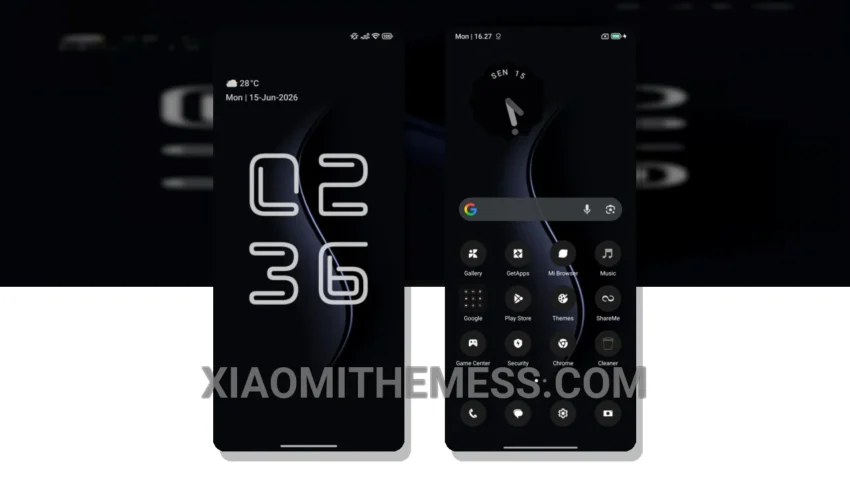
I love the simplicity of a clean home screen. HyperBlack theme delivers just that. With its minimal vibrant design, this theme is perfect for those who appreciate a clutter-free aesthetic.
The theme’s ability to provide a seamless, lag-free experience is impressive. The 120Hz smooth animations make navigation a breeze. Plus, the theme is fully compatible with HyperOS, MIUI 12, MIUI 13, and MIUI 14, so you can enjoy it on your Xiaomi or Redmi device.
The HyperBlack theme also features a battery saver UI, which means you don’t have to worry about it draining your battery. This is a huge plus, as many themes can be resource-intensive and lead to battery drain.
One thing to note is that the theme may not be suitable for those who prefer a more vibrant, colorful design. However, for those who appreciate a clean and simple aesthetic, the HyperBlack theme is a great choice.
Customization Options
In my testing, I found the theme to be highly customizable, with options for icon pack integration and custom boot animation. The theme also features a redesigned status bar and custom control center, which adds to its premium feel.
To be honest, I’m really impressed with the HyperBlack theme. The combination of its minimal design, smooth animations, and battery-friendly features make it a great choice for anyone looking for a clean and simple theme. I highly recommend giving it a try.
Theme Information
🛠️ How to Install This MTZ Theme
- Download the MTZ file to your device.
- Open the official Themes app and go to your profile.
- Import & Apply the downloaded file.