
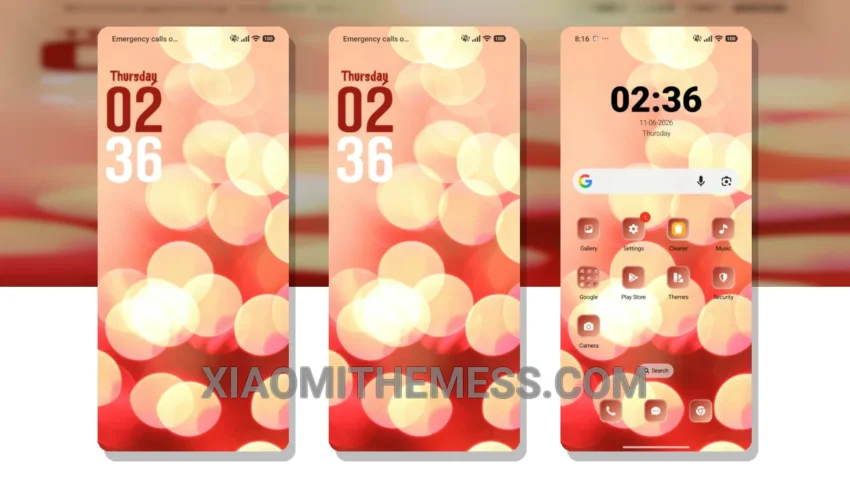
I love deep MTZ themes that change the control center, status bar, and icons. The Lights theme is one of them. It’s a great xiaomi theme that gives your device a pastel aesthetic look. Pastel colors are used throughout the theme to create a soft and calming atmosphere.
The Lights theme is fully compatible with HyperOS, MIUI 12, MIUI 13, and MIUI 14. It’s a great option for those who want to customize their device without voiding the warranty. The theme is also lightweight, so it won’t drain your battery.
Customization Options
One of the best things about the Lights theme is its ability to customize the control center and status bar. You can change the icons, colors, and layout to suit your preferences. The theme also comes with a custom boot animation and AOD custom themes.
In my testing, I found that the Lights theme is very easy to apply and customize. The theme store makes it easy to download and install the theme, and the settings menu allows for easy customization. However, I did find that the theme can be a bit slow to load at times.
Overall, the Lights theme is a great option for those who want to customize their Xiaomi device. It’s easy to apply, customize, and is fully compatible with HyperOS and MIUI. To be honest, I’m really impressed with the theme’s pastel aesthetic look and its ability to customize the control center and status bar.
Theme Information
🛠️ How to Install This MTZ Theme
- Download the MTZ file to your device.
- Open the official Themes app and go to your profile.
- Import & Apply the downloaded file.