
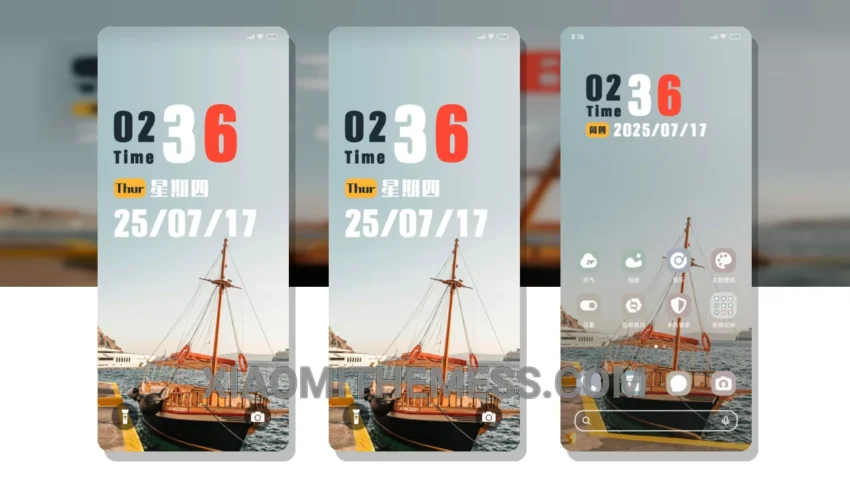
Dark mode just got a whole lot better with the Riverside MTZ theme. This sleek and elegant theme is designed to provide a seamless user experience on your Xiaomi device. With its dark mode optimization, you can enjoy a battery-friendly interface that’s easy on the eyes.
The Riverside MTZ theme is fully compatible with HyperOS, MIUI 12, MIUI 13, and MIUI 14, making it a great choice for any Xiaomi user. One of the best things about this theme is its ability to provide a lag-free experience, thanks to its lightweight design and system optimization.
In terms of customization, the Riverside MTZ theme doesn’t disappoint. You can integrate your favorite icon packs, customize the boot animation, and even use the theme’s custom control center. The theme also features a clean interface that’s free from clutter, making it easy to navigate and find what you need.
One thing to note is that the theme’s neon icons may not be to everyone’s taste. However, this is a minor caveat compared to the numerous highlights of the Riverside MTZ theme. Overall, this theme is a great choice for anyone looking to elevate their Xiaomi experience with a sleek and elegant dark mode interface.
To be honest, I’m impressed with the Riverside MTZ theme. The attention to detail and focus on dark mode optimization make it a standout theme in the Xiaomi theme store. The theme’s ability to provide a seamless and elegant interface, combined with its customization options and battery-friendly design, make it a great choice for any Xiaomi user.
Theme Information
🛠️ How to Install This MTZ Theme
- Download the MTZ file to your device.
- Open the official Themes app and go to your profile.
- Import & Apply the downloaded file.