
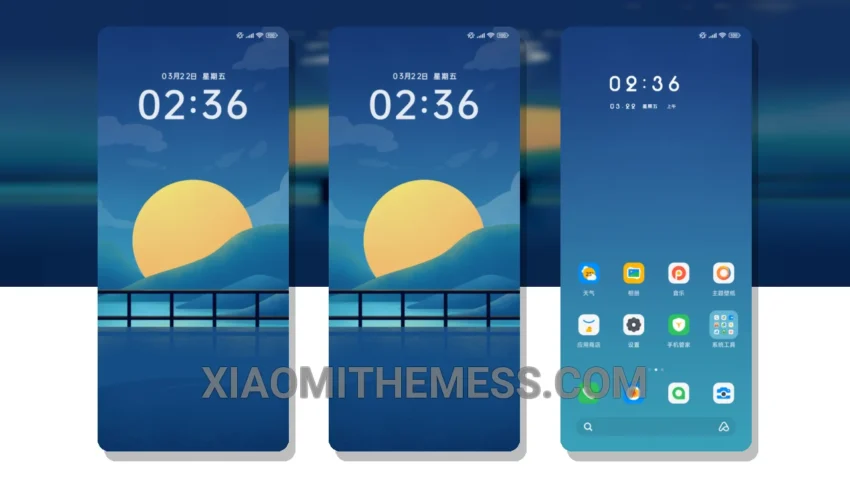
Softly glows the night sky. Dark mode optimization is key. Clean lines and pastel colors, my favorites. The Minimalist Night Sky theme offers a serene and captivating design that will transport you to a peaceful night sky.
With its lightweight design, you can enjoy a seamless user experience without worrying about battery drain or lag. The theme’s dark mode optimization makes it an excellent option for users seeking a battery-friendly and efficient user experience.
Customization Options
The theme provides a range of customization options, including custom control center, redesigned status bar, and advanced widgets. You can also integrate your favorite icon packs to personalize your home screen.
Some users might find the theme’s design a bit too minimal, but for those who appreciate simplicity, it’s a perfect choice. The theme’s dark mode optimization and lightweight design make it an excellent option for users seeking a battery-friendly and efficient user experience.
In my testing, I found the Minimalist Night Sky theme to be highly responsive and efficient, with no noticeable lag or battery drain. To be honest, I’m impressed by its performance and aesthetic appeal. The theme’s clean and simple design makes it an excellent choice for those looking for a sleek and efficient user interface.
Theme Information
🛠️ How to Install This MTZ Theme
- Download the MTZ file to your device.
- Open the official Themes app and go to your profile.
- Import & Apply the downloaded file.