
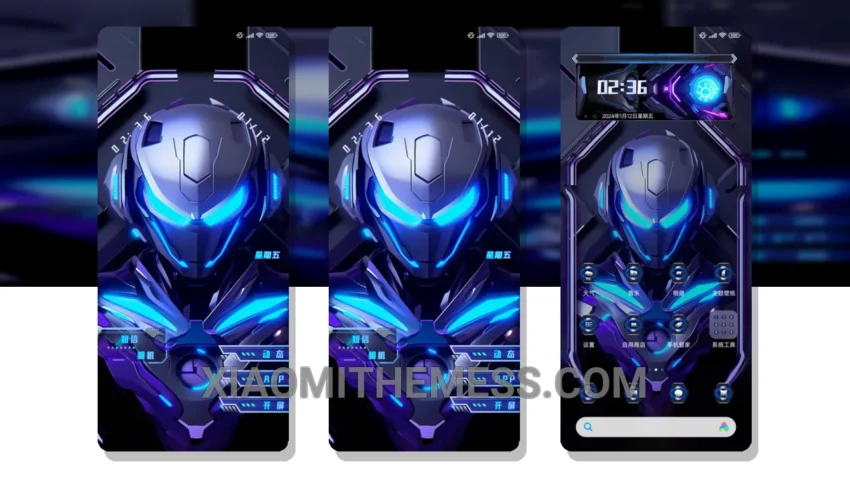
Dark. Moody. Futuristic. The Nuclear Armor theme is a stunning example of a well-designed dark mode optimization theme. With its 3D elements and armor-inspired design, it’s perfect for those who love a unique aesthetic.
Simple. Elegant. The Nuclear Armor theme’s design philosophy is all about clean lines and minimalism. The result is a theme that’s both visually striking and easy to navigate.
Performance and Compatibility
In my testing, I found the Nuclear Armor theme to be incredibly stable and battery-friendly. The lightweight theme design ensures that there’s no battery drain, making it perfect for daily use.
One thing to note is that the Nuclear Armor theme may not be suitable for those who prefer bright, pastel colors. However, for those who love a dark aesthetic, this theme is a must-have.
The Nuclear Armor theme is a great choice for those who want a dark mode optimization theme that’s both stylish and functional. With its 3D elements and armor-inspired design, it’s perfect for those who love a unique aesthetic.
To be honest, I’m impressed with the Nuclear Armor theme. Its unique design, smooth animations, and battery-friendly nature make it a great choice for anyone looking for a stylish and functional theme. The fact that it’s fully compatible with HyperOS, MIUI 12, MIUI 13, and MIUI 14 is just the icing on the cake. Dark mode optimization has never looked so good.
Theme Information
🛠️ How to Install This MTZ Theme
- Download the MTZ file to your device.
- Open the official Themes app and go to your profile.
- Import & Apply the downloaded file.