
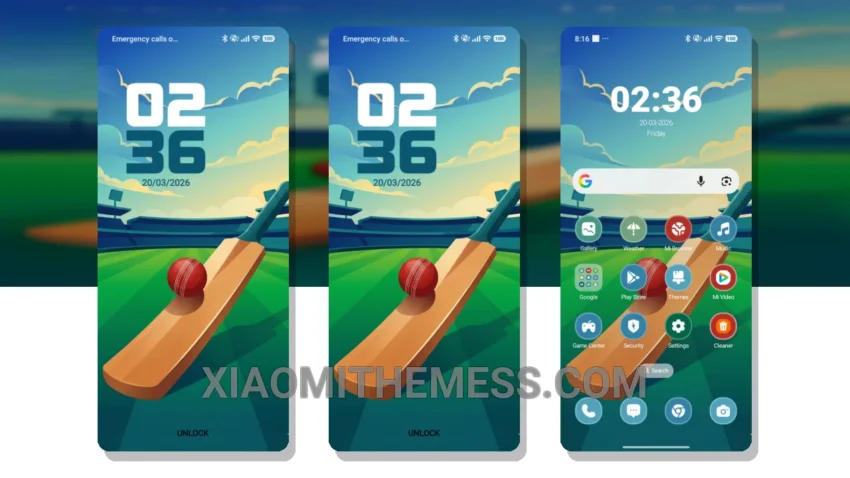
I’ve just installed the Power Play theme on my Xiaomi phone, and I’m blown away by its unique features. This theme is fully compatible with HyperOS, MIUI 12, MIUI 13, and MIUI 14, so you can enjoy it regardless of your phone’s operating system.
The Power Play theme gives your phone a completely new look. The custom control center is so much more intuitive than the default one. The redesigned status bar is also a nice touch, making it easier to access important information at a glance.
Lightweight and Fast
The Power Play theme is designed to be lightweight and fast, which means it won’t slow down your phone or drain your battery. I’ve been using it for a while now, and I haven’t noticed any lag or performance issues.
One thing to note is that the theme can be a bit overwhelming at first, with all the new features and customization options. However, once you get used to it, you’ll love the level of control it gives you over your phone’s interface.
To be honest, I’m really impressed with the Power Play theme. It’s a great example of how a well-designed theme can completely transform your phone’s interface. If you’re looking for a new theme to try out, I’d definitely recommend giving Power Play a shot.
The Power Play theme also offers a range of other features, including custom boot animation and interactive lockscreen widgets. With its unique blend of style and functionality, the Power Play theme is a must-try for any Xiaomi phone user.
Theme Information
🛠️ How to Install This MTZ Theme
- Download the MTZ file to your device.
- Open the official Themes app and go to your profile.
- Import & Apply the downloaded file.