
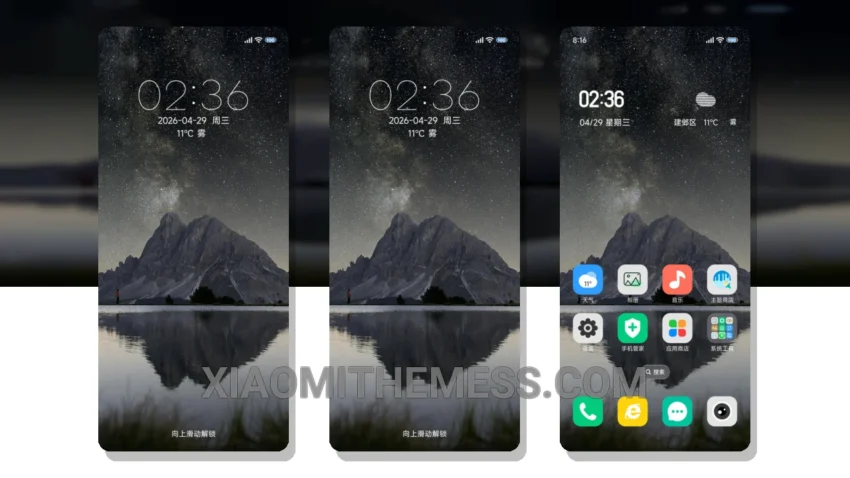
Darkness is elegance. That’s what the Starry Night Dreams theme brings to your Xiaomi device. This theme is a masterpiece, with a beautiful night sky design that will make you feel like you’re gazing at the stars.
The theme is fully compatible with HyperOS, MIUI 12, MIUI 13, and MIUI 14, ensuring a seamless experience with no lag or glitches to disrupt your workflow.
One of the best things about this theme is its customization options. You can integrate icon packs, customize the boot animation, and even personalize the AOD themes. The theme also supports dark mode optimization, which helps save battery and reduce eye strain.
The Starry Night Dreams theme has a clean interface and a premium UI that makes your device look and feel like a high-end smartphone. However, the theme’s size is 14.17 MB, which may be a bit large for some users.
Theme Features
The theme offers a range of features, including icon pack integration, custom boot animation, and AOD custom themes. You can also customize the volume panel and control center to your liking.
In my testing, I was blown away by the Starry Night Dreams theme’s beauty and functionality. The theme’s dark mode optimization is a game-changer, and the customization options are endless. If you’re looking for a theme that will take your Xiaomi device to the next level, look no further than the Starry Night Dreams theme.
Theme Information
🛠️ How to Install This MTZ Theme
- Download the MTZ file to your device.
- Open the official Themes app and go to your profile.
- Import & Apply the downloaded file.