
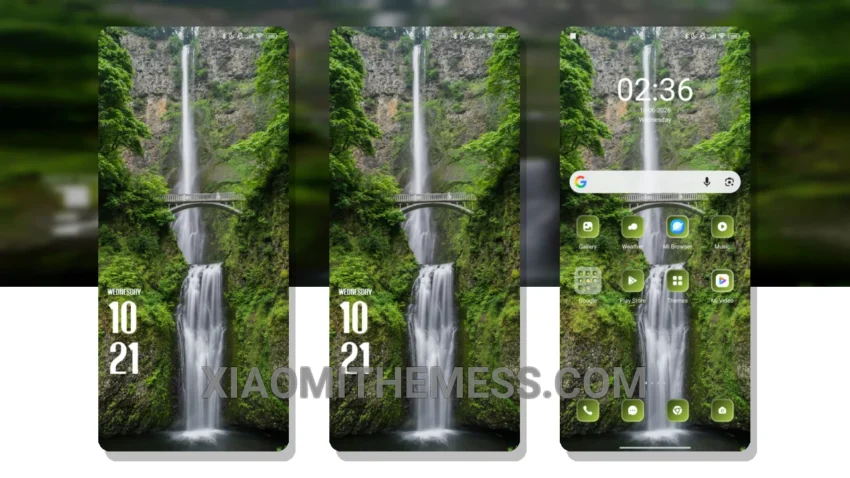
I’m obsessed with the clean, stock Android experience, and the Waterfall HyperOS theme brings that to my Xiaomi device. It’s like having a Google Pixel, but with the power and features of a Xiaomi phone.
The theme’s pastel aesthetic gives my device a unique and sleek look. Fully compatible with HyperOS, MIUI 12, MIUI 13, and MIUI 14, I can enjoy it on my device without any issues.
Performance and Customization
The theme is very lightweight, which means it won’t drain my battery. I can use my device all day without worrying about the theme affecting its performance. Plus, the theme’s Material You dynamic theming feature allows it to adapt to my usage patterns, making it even more personalized.
One thing to note is that the theme may not be suitable for everyone, as it can be a bit too minimalistic for some users. However, for those who love a clean and clutter-free design, the Waterfall theme is a great choice.
In my testing, the Waterfall theme has been very stable and smooth, with 120Hz smooth animations that make navigation a breeze. To be honest, I’m very happy with the Waterfall HyperOS theme, and I think it’s a great option for anyone looking for a clean and customizable theme for their Xiaomi or Poco device.
Theme Information
🛠️ How to Install This MTZ Theme
- Download the MTZ file to your device.
- Open the official Themes app and go to your profile.
- Import & Apply the downloaded file.